← All case studies
Workprint

Case Study · Open-source Desktop App

The history wasn't gone. It was just scattered.

Workprint reconstructs how a project came together from Git history, project files, and AI conversations, then turns that evidence into AI-assisted insights you can inspect.

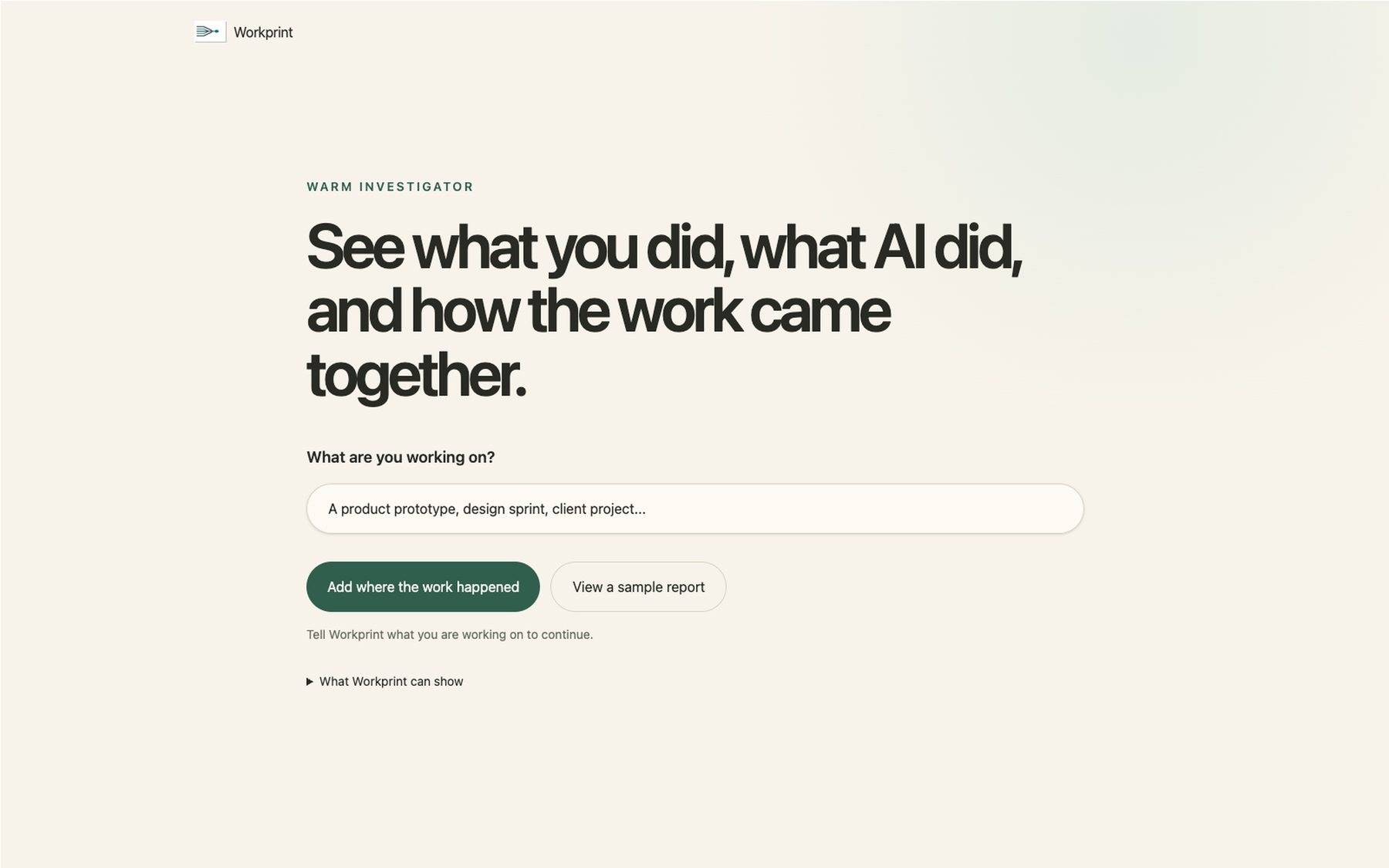
Workprint landing screen: 'See what you did, what AI did, and how the work came together.'

The Problem

Project history goes missing the moment people move on.

The decisions, the reasoning, and the dead ends live across notes, files, AI conversations, and Git history. Even when that evidence can be recovered, metadata makes it easy to claim more than it proves. Workprint had to rebuild the story without inventing one.

Role

Product strategy, experience architecture, trust model, and UX writing. I set the direction, defined what the evidence could and could not support, structured the reasoning flow, and wrote the product copy.

Visual Direction

I developed a register I call "Warm Investigator": precise enough to earn trust in a reconstruction tool, warm enough that reading your own project history back doesn't feel clinical.

Collaborators

Built with ChatGPT, Codex, Claude Code, GitHub, and Figma. Each handled a different part of the work, but the product decisions, what to build and why, stayed mine. I reviewed everything before it shipped.

The Trust Model

An insight isn't useful if you can't challenge it.

The latest build separates what happens locally from what leaves the device, then makes every conclusion show its work.

Choose the provider

OpenAI, Claude, and Gemini appear as equal bring-your-own-key choices. There is no default, and the API key is used for that report and not saved by Workprint.

Send only what's needed

Workprint collects evidence locally. Before reasoning begins, it explains that selected excerpts and metadata will leave the device, not the whole project folder, and reminds the user to confirm they have permission to send it.

Show the evidence and the limit

Each provider response is checked against the evidence IDs it cites. The result shows why Workprint believes the claim and what the same evidence still cannot determine.

Product Flow

Choose the evidence. Choose the model. Check the claim.

The newest flow makes the handoff to AI visible, then brings the user back to the evidence before asking them to trust the result.

  1. 01 · Collect locally

    See what Workprint found.

    Review the project files, Git history, and local AI sessions available as evidence.

  2. 02 · Choose a provider

    Decide who reasons over it.

    Select OpenAI, Claude, or Gemini for the report. Workprint does not pick one for you.

  3. 03 · Inspect the result

    Open the claim and check it.

    Trace the insight back to its evidence, then read what that evidence does not prove.

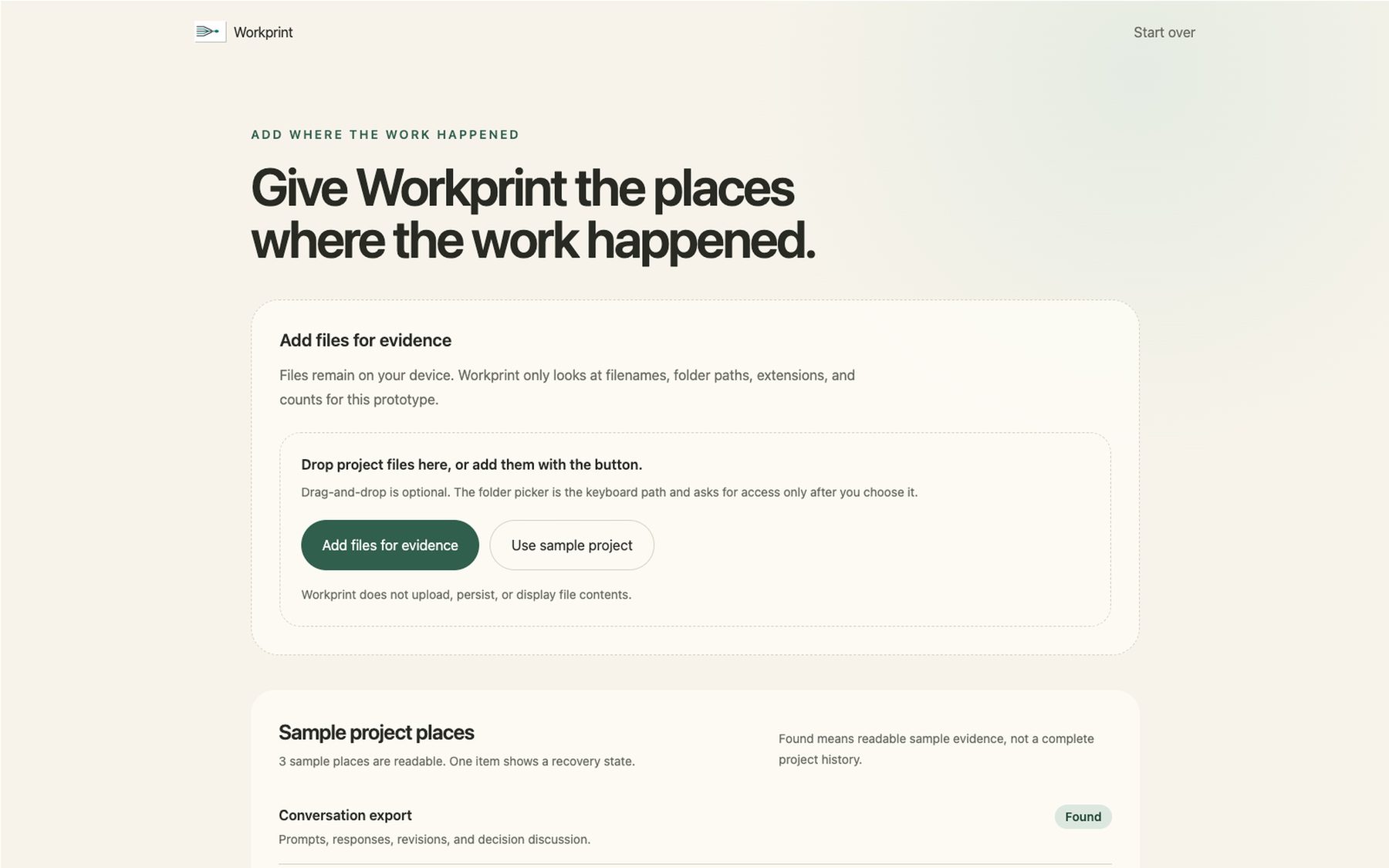
Workprint's source screen: sample project places including conversation export, project files, and repository history, each marked found, limited, or not available.

Choosing sources

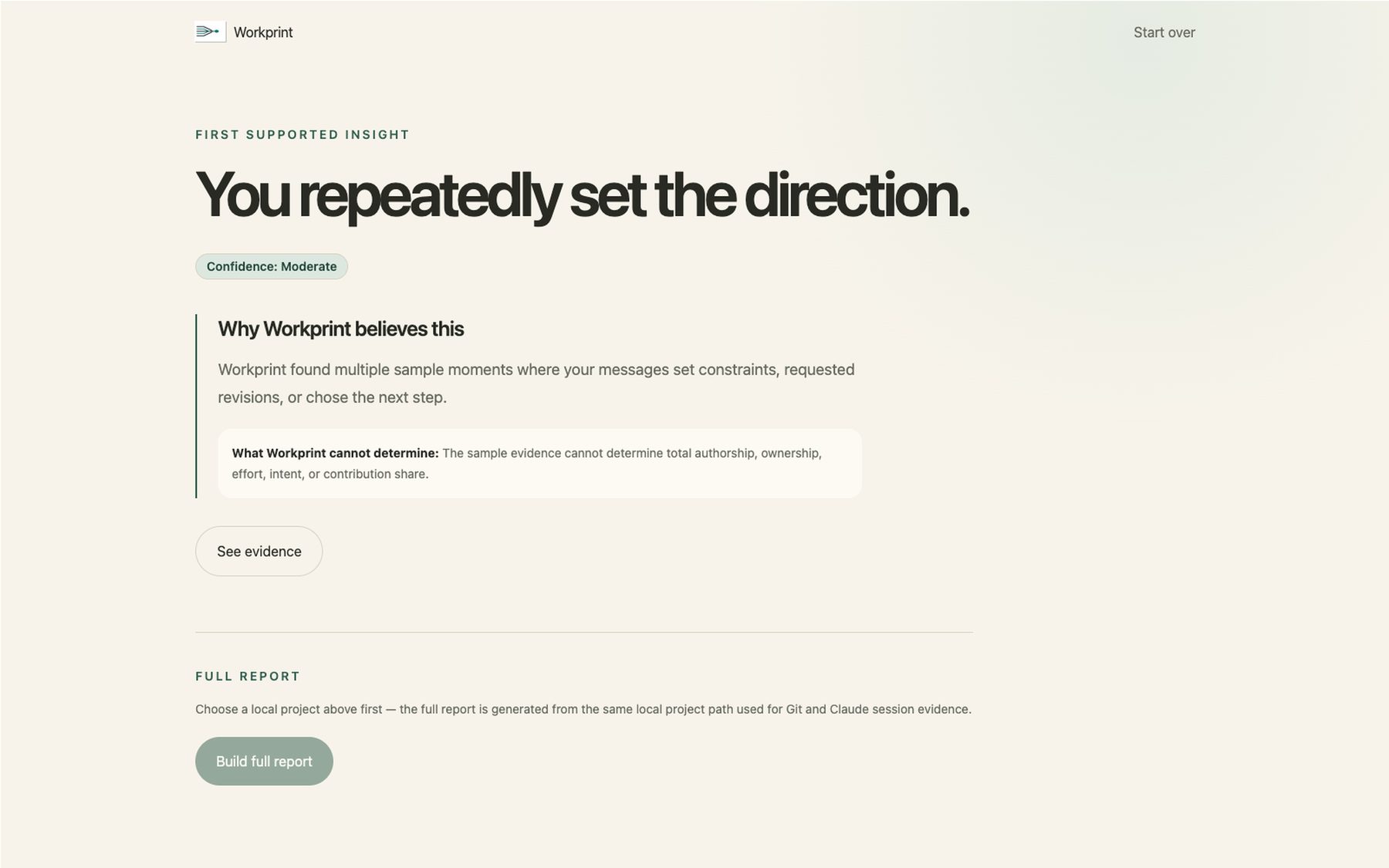
Workprint's first discovery screen: 'You repeatedly set the direction,' with a moderate confidence badge, supporting evidence, and stated limits.

First discovery

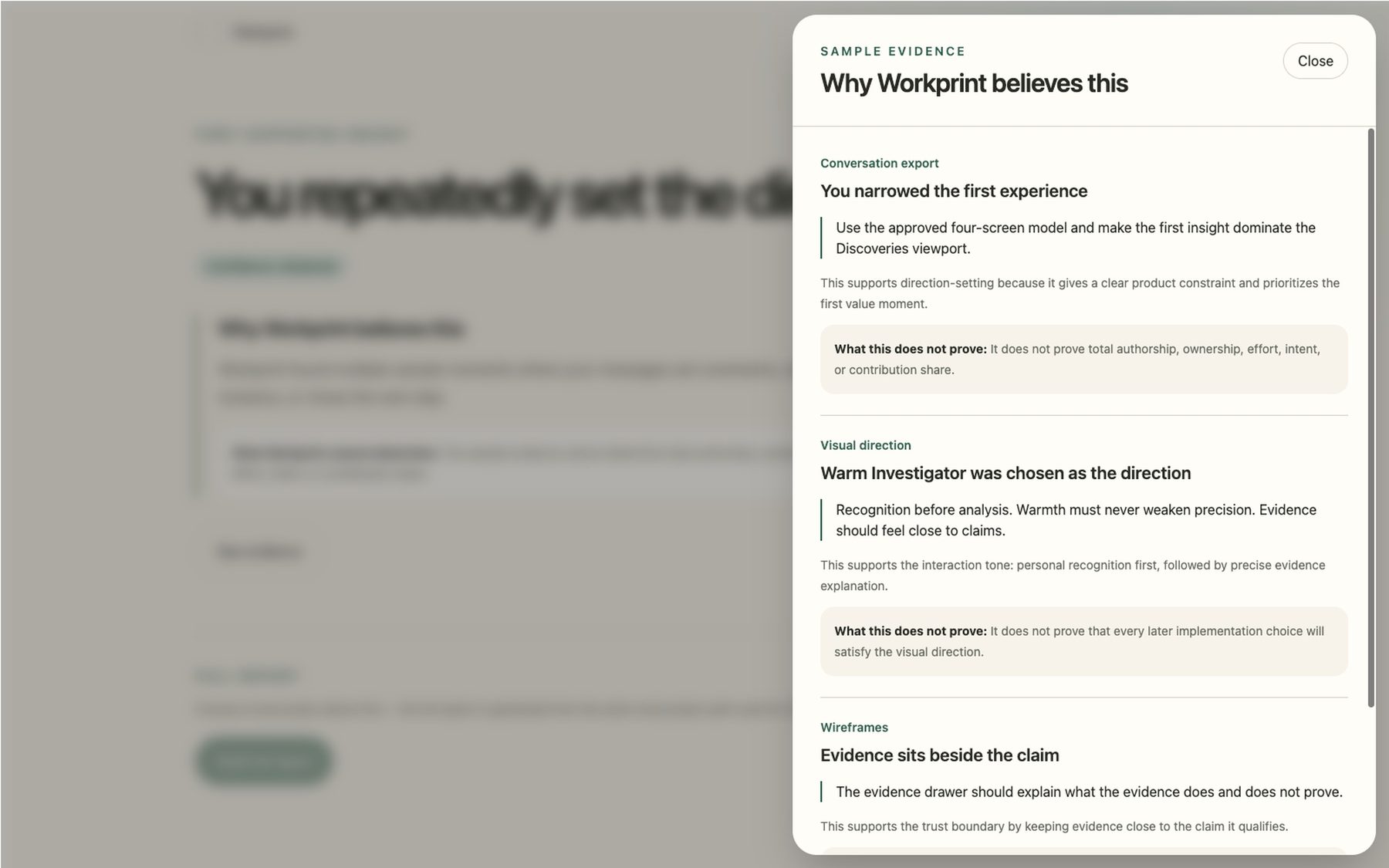
Workprint's evidence drawer, 'Why Workprint believes this,' showing the specific evidence behind an insight and what it does not prove.

Seeing the evidence behind it

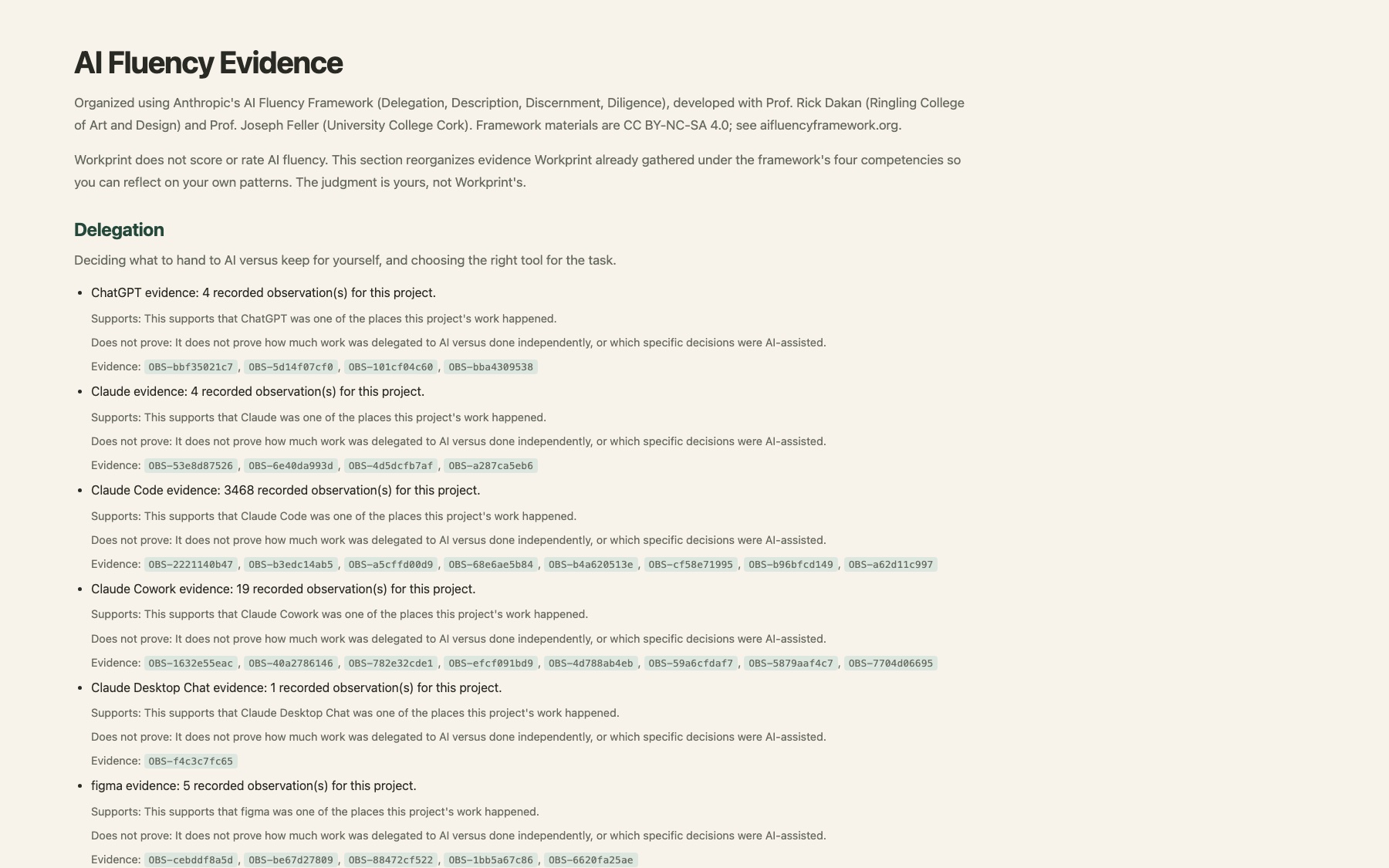
Workprint's AI Fluency Evidence report section, organized under Anthropic's AI Fluency Framework (Delegation, Description, Discernment, Diligence), showing real evidence by competency with what it does and does not prove.

AI Fluency evidence

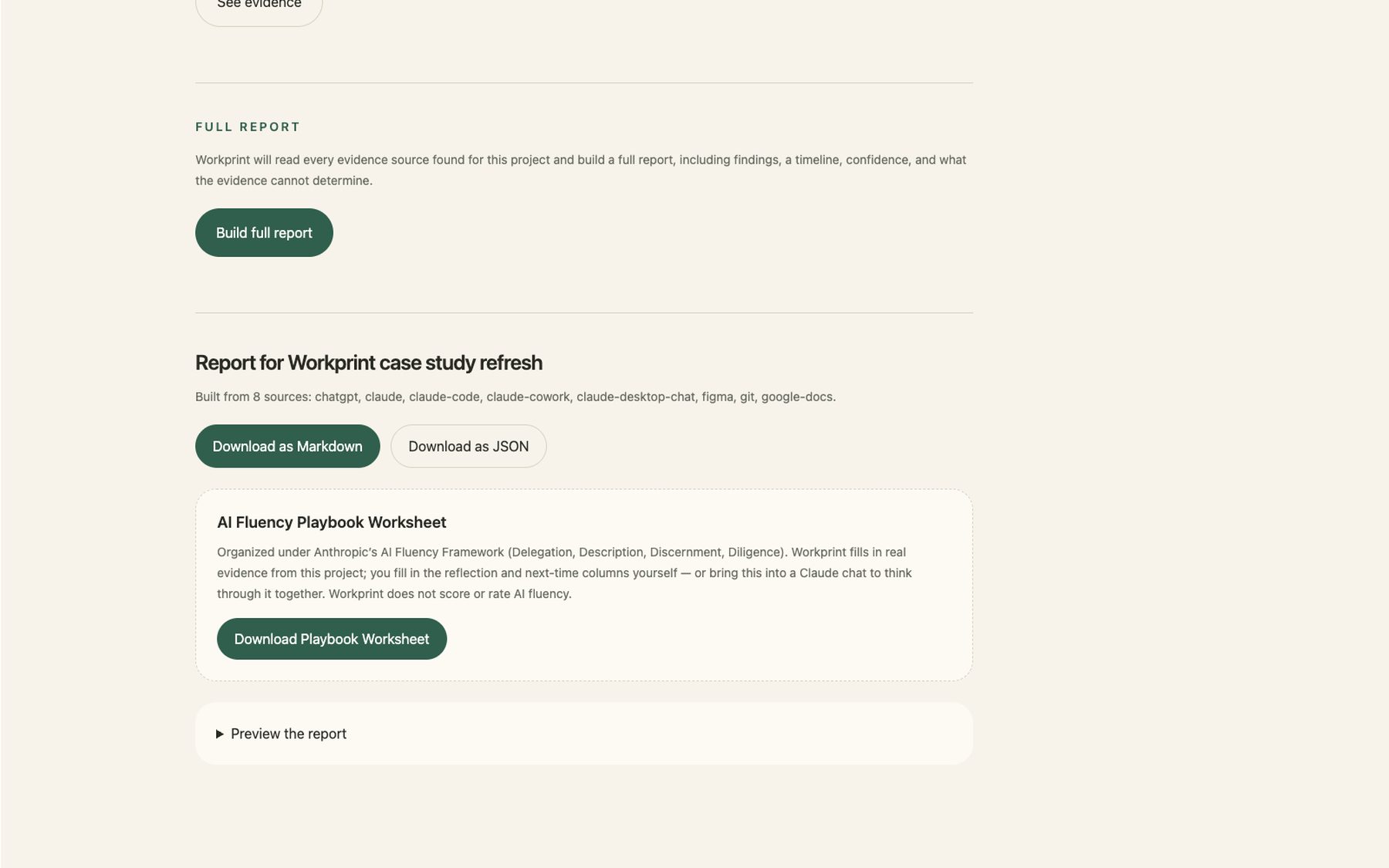
Workprint's generated report, built from eight evidence sources, with a downloadable AI Fluency Playbook Worksheet.

Exporting the Playbook Worksheet

No Install

Bring the investigation into a conversation you're already having.

No Mac, or don't want to download anything yet? The same investigation approach ships as a Claude Skill and a ChatGPT Custom GPT — drop a project folder into a conversation you already have open.

Two platforms, one set of rules

The Claude Skill and the ChatGPT Custom GPT both apply the same evidence-boundary and claim rules, so an insight means the same thing whichever one you're using.

A lighter-weight Workprint

These bundles apply the rules through instructions, not the desktop app's full deterministic validation pipeline. Good for trying the idea quickly; the desktop app remains the more rigorously checked experience.

A real example

Run on a real internal feedback-coach project, the skill's first insight read: “The user consistently took authorship of the words while directing AI to verify, structure, time, and review — a delegation pattern that held across both sessions in evidence.” Evidence-linked, not a compliment — and it named what it couldn't determine right alongside it.

A separate, technical option: MCP

Workprint can also run as a local MCP server so Claude Desktop or Claude Code calls it directly — a different integration from the Skill above, requiring this repository's Python backend running locally.
Outcome

In alpha release now.

The public alpha is a downloadable macOS desktop app. The current development build adds three-provider reasoning, evidence-linked limits, and the Claude integration above. It's still buggy, but here's what actually exists today:

Downloadable alpha

Apple Silicon macOS app

Three providers

OpenAI, Claude, or Gemini in the latest development build

Two platforms

Claude Skill and ChatGPT Custom GPT, no install required

Open source

Apache 2.0 license