← All case studies
Intuit

Case Study · Take-home Assignment · Intuit

A seasonal agent doesn't get a training day. They get the next call.

This is a learning strategy brief and job aid for Mailchimp Analytics AI, built as a take-home assessment for an Instructional Designer role at Intuit Academy. Not internal Intuit work, and the outcome of that application isn't part of this write-up.

The Problem

Already fluent in Mailchimp. Not yet fluent in what's new.

The brief: Mailchimp is shipping Analytics AI, and Intuit's seasonal Tier 1 support agents need to field live customer questions about it starting on day one. These agents already know Mailchimp cold, so the gap isn't the product, it's this one feature. Two constraints shaped everything after that: they're on live chats and calls most of the day, and a seasonal ramp has no room for a course that takes them off the floor.

Modality

A layered path, not a single course: a 60-second video tour, then guided sandbox scenarios inside a downloadable job aid, then an FAQ for point-of-need answers. The video front-loads the value props in under a minute. The job aid is pull, not push, it's there when an agent actually needs it, mid-call.

Cognitive ladder

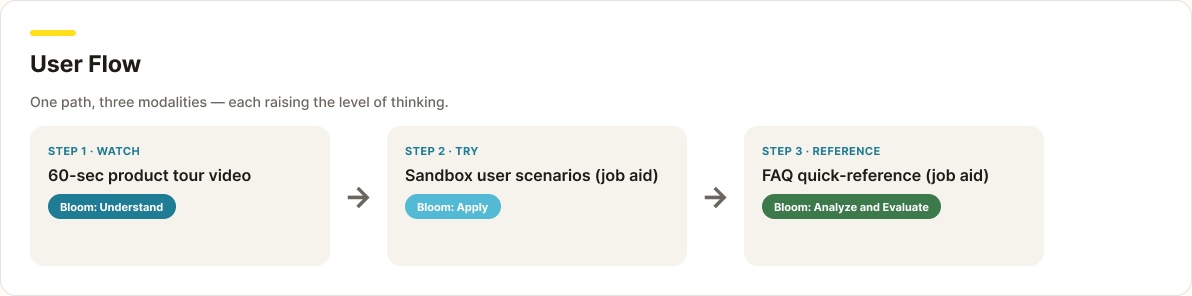
Each modality targets a different level of Bloom's taxonomy on purpose. The video builds understanding of the marketing team's key messages. The sandbox scenarios push into applying, analyzing, and evaluating, agents run real prompts and read real output. The FAQ supports recall and transfer in the moment a customer asks.

Speed to competency

Chunked and sequenced this way, a seasonal agent gets to "ready to help a customer" fast, then deepens through hands-on practice, without a long stretch away from the phones.

Artifacts

The job aid, in the order an agent would actually use it.

The cover, the reasoning behind the sequence, a sandbox scenario, and the FAQ agents keep open while they talk.

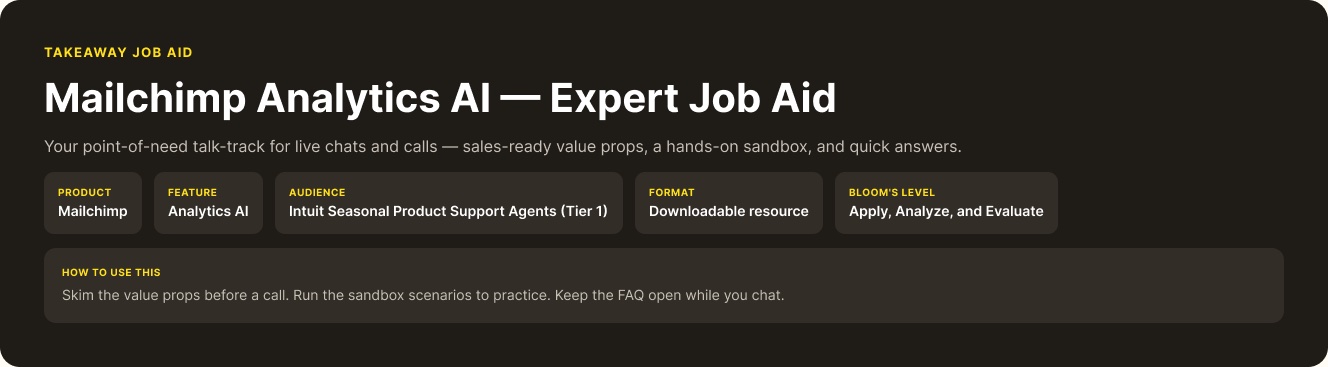
Mailchimp Analytics AI Expert Job Aid cover: product, feature, audience, format, and Bloom's level, plus how to use this resource.

The job aid's cover states exactly who it's for and how to use it: skim the value props before a call, run the sandbox to practice, keep the FAQ open while chatting.

User flow diagram: Step 1 Watch the product tour video (Bloom: Understand), Step 2 Try sandbox scenarios in the job aid (Bloom: Apply), Step 3 Reference the FAQ (Bloom: Analyze and Evaluate).

One path, three modalities, each one raising the level of thinking required.

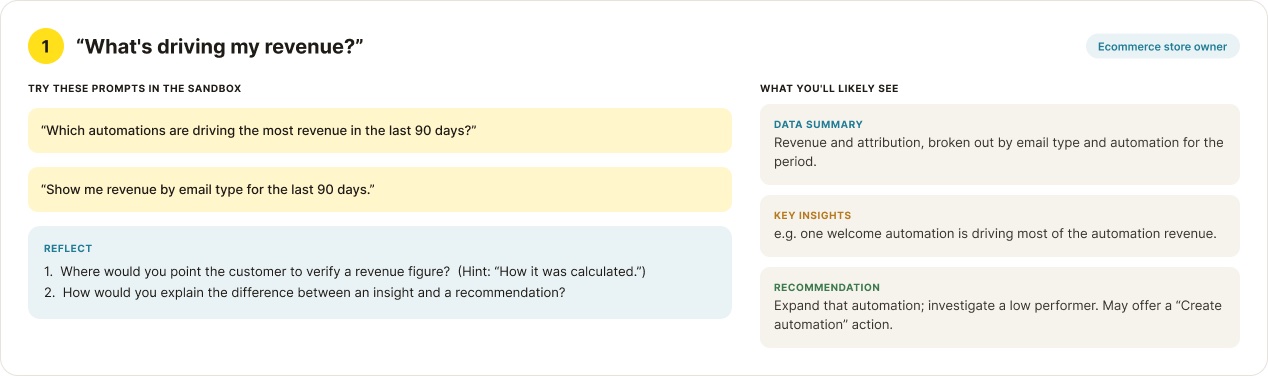
Sandbox scenario for an ecommerce store owner asking 'What's driving my revenue?', with prompts to try, reflection questions, and the Data Summary, Key Insights, and Recommendation an agent would see back.

Agents type the actual prompts into a hypothetical sandbox, read what Analytics AI would say back, then answer reflection questions built to catch the moments a customer would actually push back.

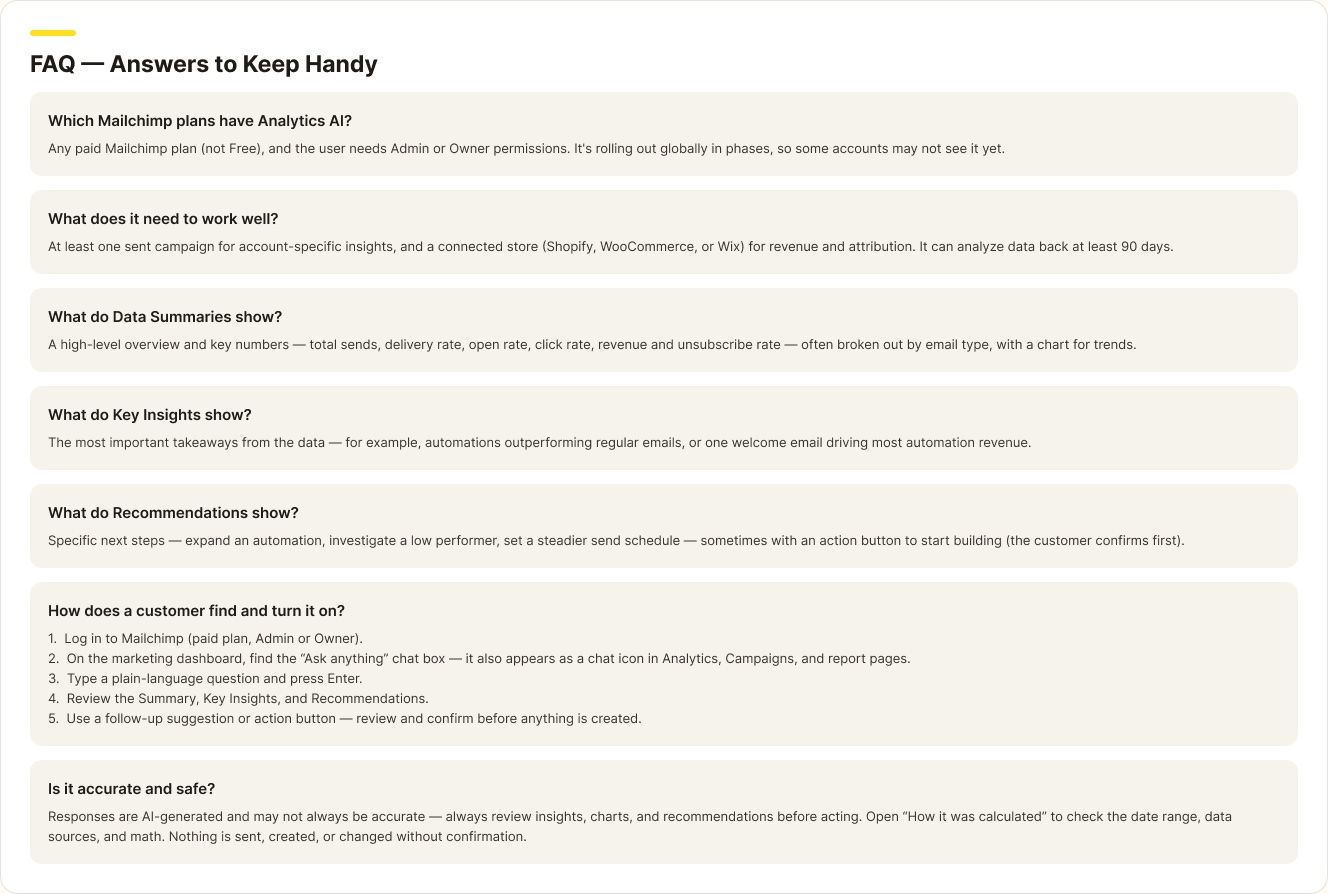
FAQ section answering which Mailchimp plans have Analytics AI, what it needs to work well, what the Data Summary, Key Insights, and Recommendations show, how a customer turns it on, and whether it's accurate and safe.

The reference an agent keeps open mid-call, including the honest one: responses are AI-generated and may not always be accurate, so nothing sends, creates, or changes without the customer confirming first.

Measurement Plan

Engagement tells you if it's working. Outcomes tell you if it mattered.

Engagement

Video completion, sandbox scenarios run, and drop-off between the video and the job aid

Proficiency

A split test of trained versus untrained agents on customer NPS and Analytics AI adoption

Business impact

Product-support ticket volume, to confirm the training holds up under real call load